Choose the right transmitter
See SSID, BSSID, signal strength, channel, frequency and security. Hunt a specific BSSID, even when several access points share a network name.
 WiFi Hunt Pro
Choose a Wi-Fi access point. Move around. Let the signal meter, sound and vibration guide your search.
Works offlineNo adsNo subscription

Android 10 or newer · English, Danish, German, French and Spanish
See SSID, BSSID, signal strength, channel, frequency and security. Hunt a specific BSSID, even when several access points share a network name.
Watch the signal meter and five-minute graph. Sound and vibration pulse faster as the signal gets stronger. Old readings are clearly marked.
Save access points, names and notes on your phone. Manufacturer lookup uses a bundled offline database. No account or cloud upload.
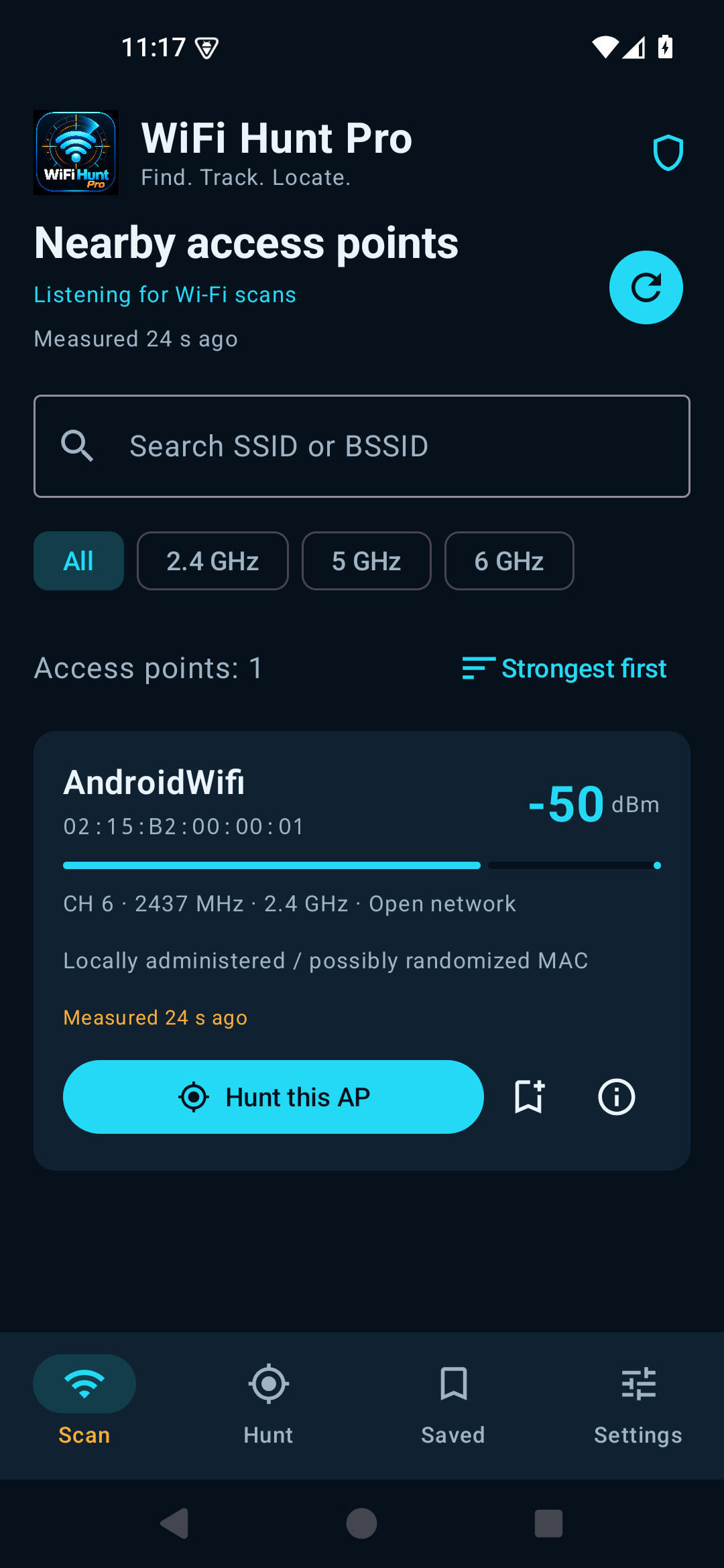
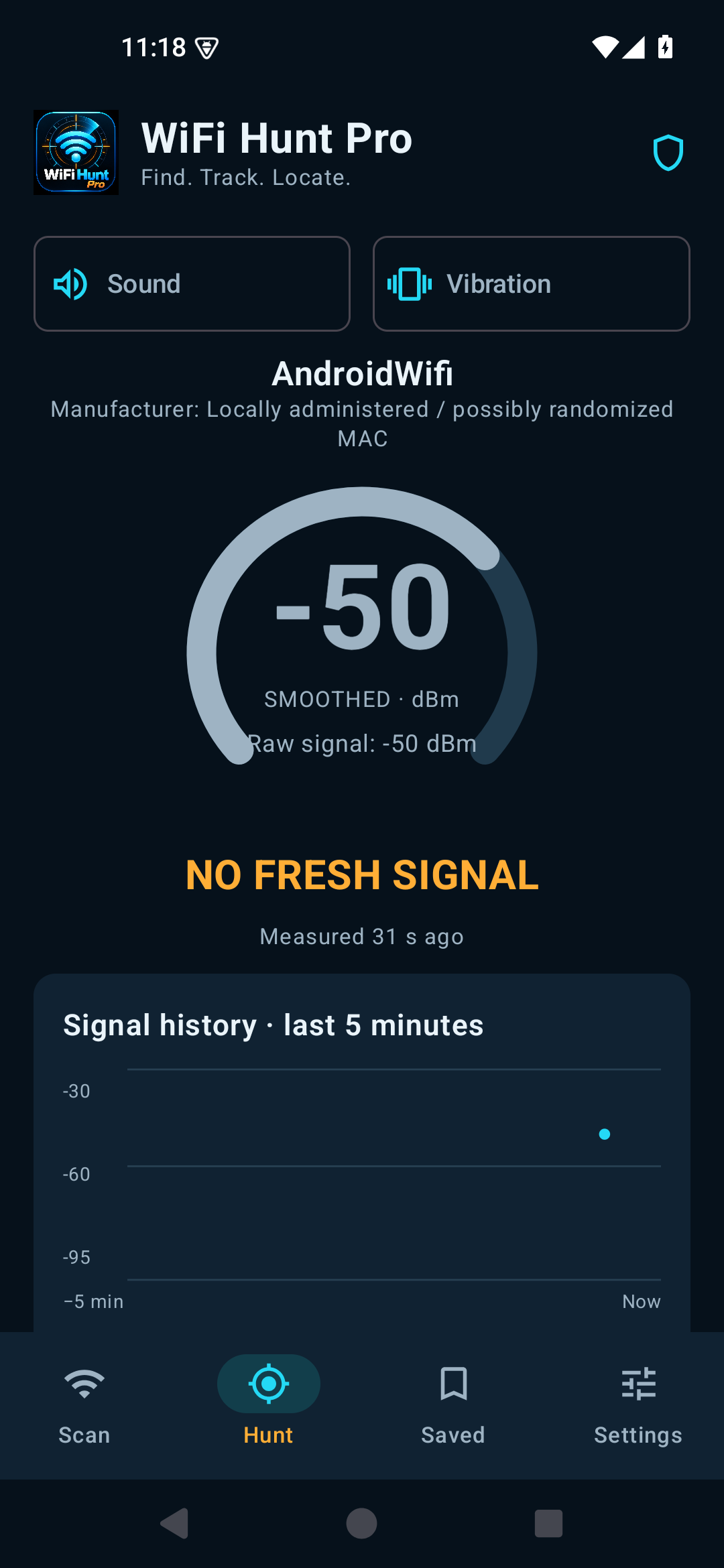
Screens show Android emulator measurements. Real readings depend on the access point and your phone.
Android requires precise location permission and enabled location services to return nearby Wi-Fi scan results. WiFi Hunt Pro uses this access to read Wi-Fi results. It does not request GPS coordinates or upload scan data.
Android normally limits active scans. Standard mode requests a scan about every 31 seconds. On Android 11 or newer, you can optionally turn Wi-Fi scan throttling off in Developer options; the app then requests scans about every 3 seconds. The phone may take longer to finish a scan. The in-app guide explains the setting and how to restore it. Faster scanning uses more battery.
On Samsung: open the phone settings, select Developer options near the bottom, keep its main switch ON and turn Wi-Fi scan throttling OFF. In Danish this switch may be named “Begrænsninger af Wi-Fi-scanning”.
No. Signal strength is affected by walls, reflections, interference and phone orientation. Use changes in signal strength as a guide while moving, rather than treating the number as a distance.
Open Settings in the app and tap Test vibration for two longer test pulses. Enable Vibration at the top of Hunt Mode. Hunt feedback stops when the measurement is more than 15 seconds old. Check your phone’s vibration intensity if the test pulses cannot be felt.
No. The app reads Wi-Fi scan information. It does not connect to access points, recover passwords or access network traffic.
Email wifihuntpro@wellsoft.dk with your phone model, Android version, app version and a description of the problem. Avoid including passwords or other private information.
WiFi Hunt Pro is now available on Google Play. One-time purchase: DKK 49 in Denmark or USD 5.99 in the USA; local prices may vary. There is no subscription.